


Property admin / Workspace
Dashboard
Overview of the selected property: open requests, messages, bookings, and reminders.
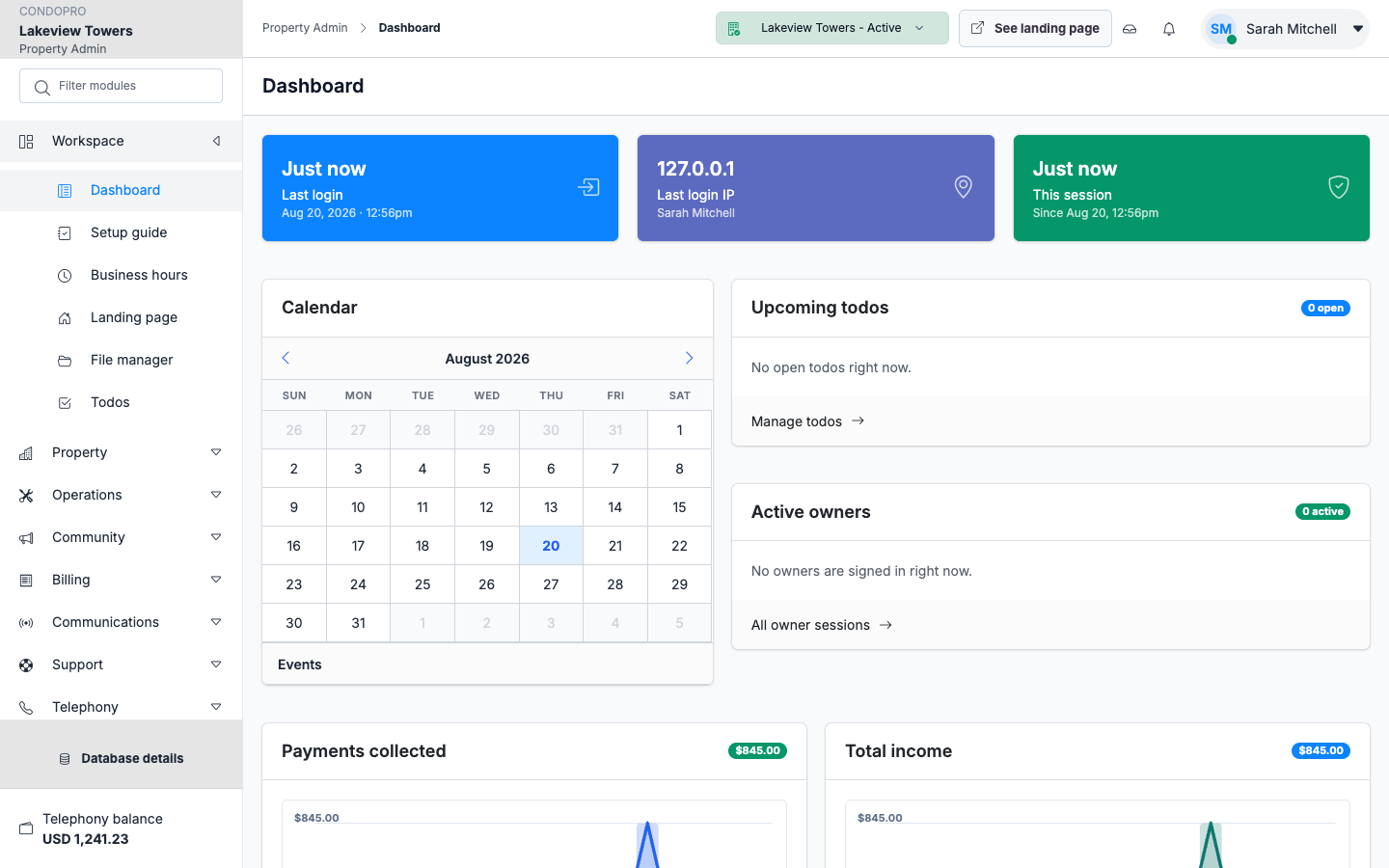
The dashboard is the first screen after you select a property. It never mixes buildings: the header switcher sets the context.
Cards and lists jump into the full modules. Nothing is edited here — it is a radar, not a form.
- Active property only
- Shortcuts into requests and messages
- Billing and activity signals
In this module
Overview. Status cards and today’s queues.